

yii2-settings 
Yii2 module for application configuring via administrate crud settings. The module can used both separately and as part of the execut/yii2-cms.
Installation 
The preferred way to install this extension is through composer.
Install 
Either run
$ php composer.phar require execut/yii2-settings
or add
"execut/yii2-settings": "dev-master"
to the `require` section of your composer.json file.
Configuration 
Add module bootstrap to backend application config:
`php
'bootstrap' => [
...
    'settings' => [
        'class' => \execut\settings\bootstrap\Backend::class,
    ],
...
],
Add module bootstrap to common application config:
```php
    'bootstrap' => [
    ...
        'settings' => [
            'class' => \execut\settings\bootstrap\Common::class,
        ],
    ...
    ],
Add module bootstrap inside console application config:
`php
'bootstrap' => [
...
    'settings' => [
        'class' => \execut\settings\bootstrap\Console::class,
    ],
...
],
Apply migrations via yii command:
./yii migrate/up --interactive=0
`
After configuration, the module should open by paths: settings/backend
Module navigation 
You may output navigation of module inside your layout via execut/yii2-navigation:
`php
echo Nav::widget([
    ...
    'items' => \yii\helpers\ArrayHelper::merge($menuItems, \yii::$app->navigation->getMenuItems()),
    ...
]);
NavBar::end();

// Before standard breadcrumbs render breadcrumbs and header widget:
echo \execut\navigation\widgets\Breadcrumbs::widget(); echo \execut\navigation\widgets\Header::widget(); echo Breadcrumbs::widget([
'links' => isset($this->params['breadcrumbs']) ? $this->params['breadcrumbs'] : [],
]);
`
For more information about execut/yii2-navigation module, please read it documentation
Usage 
Settings administration 
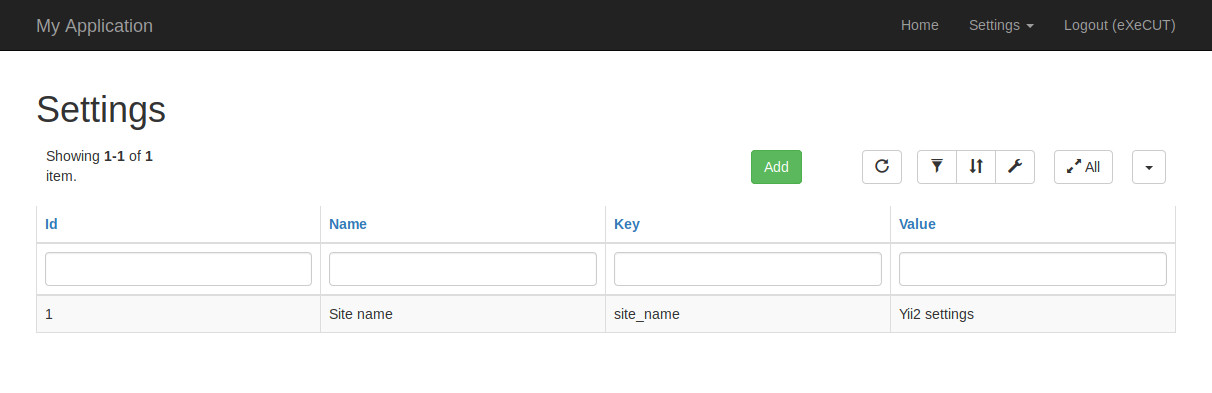
Section contains the following columns:
| Name | Description |
|---|---|
| Id | DB identifier |
| Name | Setting description |
| Key | Key for getting setting value from code |
| Type | Editor (WYSIWYG HTML editor) or simple (simple string value) |
| Value | Setting value |
For example, we want to manage the site name. To do this, add a setting with the key site_name:
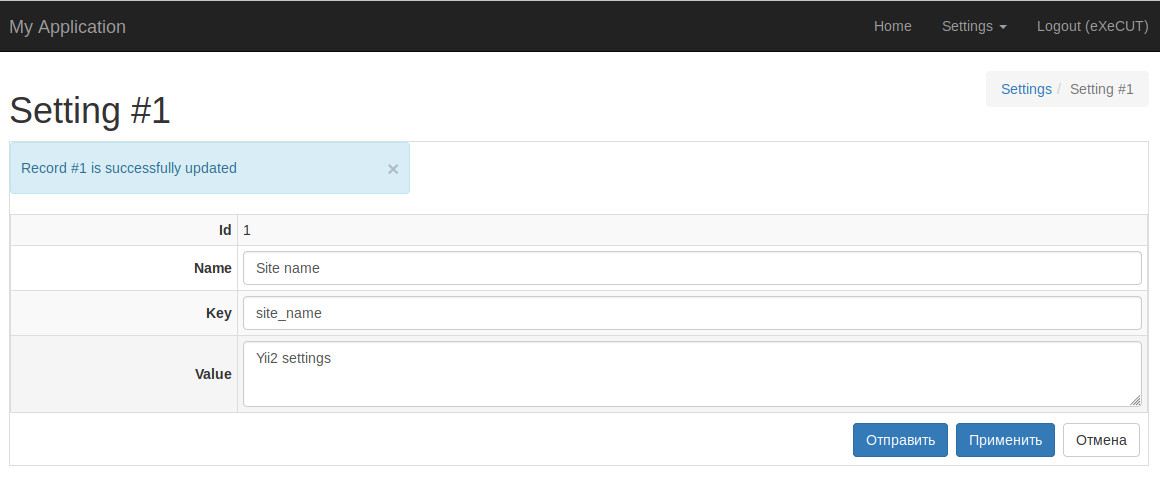
On the website we can display this parameter using this line:
`php
<?= \yii::$app->settings->get('company-name') ?>
`
Increase functionality 
For adding more functionality inside module you can create plugin based on interface execut\settings\Plugin and connect
it to module via common bootstrap depends config:
`php
'bootstrap' => [
...
    'settings' => [
        'class' => \execut\settings\bootstrap\Common::class,
        'depends' => [
            'modules' => [
                'settings' => [
                    'plugins' => [
                        'own-plugin' => [
                            'class' => $pluginClass // You plugin class here
                        ],
                    ],
                ]
            ],
        ],
    ],
...
],
He has next methods:

Method | Description
-------|------------
getSettingsCrudFieldsPlugins | Getting list of crud fields. Follow to component execut/yii2-crud-fields documentation for more [information about crud fields](https://github.com/execut/yii2-crud-fields).
checkHasAccessToSetting | Check user access to setting
 eXeCUT
User Contributed Notes
Leave a comment
If you have any questions, please ask in the forum instead.
Join the conversation to share a note.