

Yii2 Dashboard UI 


Build a modern admin dashboard in Yii2 without writing HTML. 39 Bootstrap 5 widgets (layout, sidebar, metric cards, Chart.js charts, tables, forms, modals, timeline...) configured from PHP arrays, the Yii way.
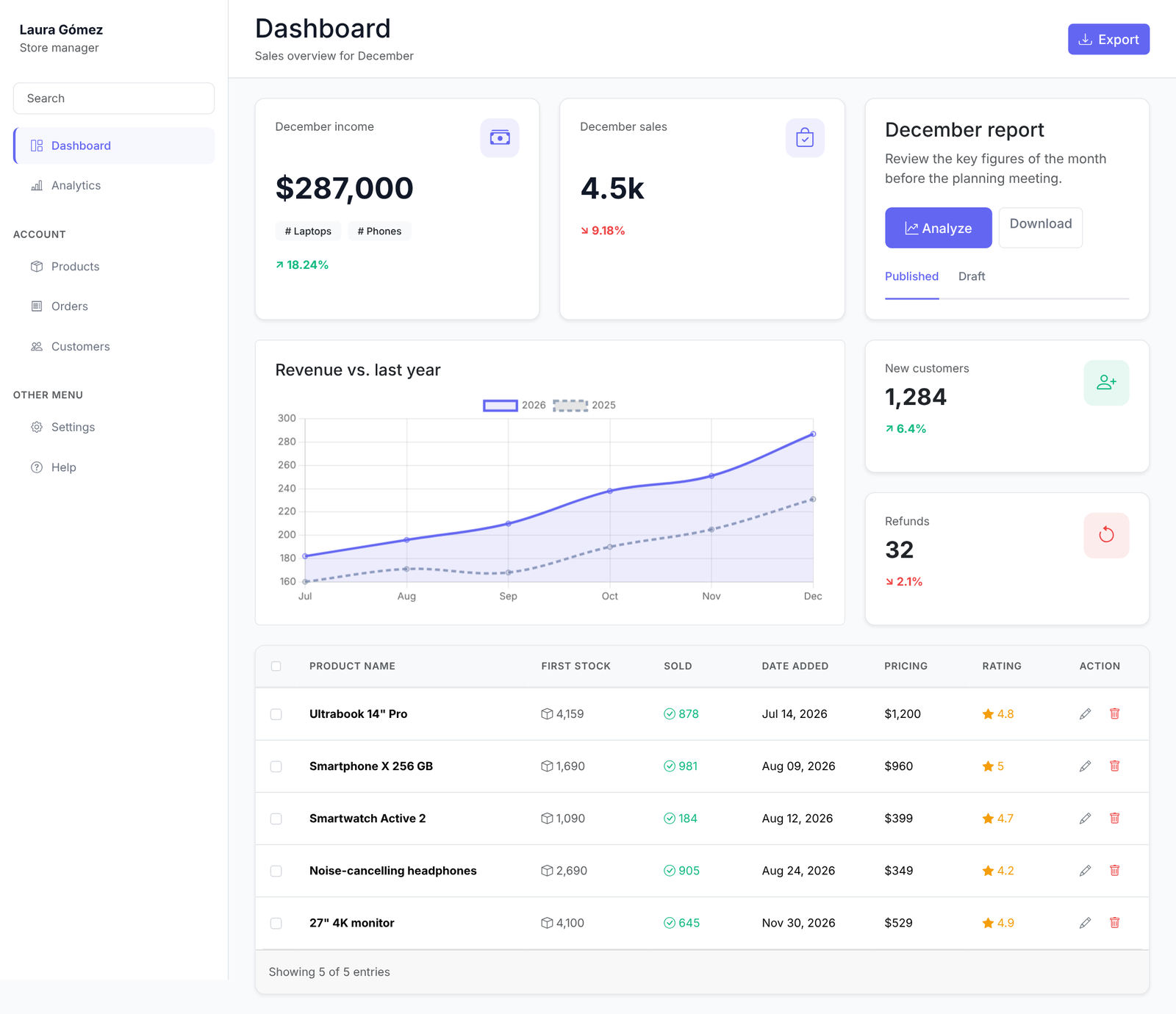
The page above is examples/views/dashboard/index.php: about 150 lines of PHP and no custom CSS.
Why 
- Bootstrap 5, no jQuery plugins. Uses
yiisoft/yii2-bootstrap5, so it sits next to your existing widgets. - Pure PHP configuration. Every widget is a normal
yii\base\Widget:MetricCard::widget([...]),DashboardLayout::begin()/end(). - Secure by default. Table and detail values are HTML-encoded unless you opt out with
'format' => 'raw'. - Easy to theme. Colors are CSS variables, every widget accepts
options, and any widget can be extended. - Icons included. Bootstrap Icons are registered for you; every
iconoption accepts HTML.
Installation 
composer require iguazoft/yii2-ui
Register the assets once, in your layout or view:
use iguazoft\ui\DashboardAsset;

DashboardAsset::register($this);
Quick start 
use iguazoft\ui\widgets\DashboardLayout;
use iguazoft\ui\widgets\MetricCard;
use iguazoft\ui\widgets\Sidebar;

<?php DashboardLayout::begin([
    'sidebar' => Sidebar::widget([
        'user' => ['name' => 'Laura Gómez', 'role' => 'Store manager'],
        'mainMenu' => [
            ['label' => 'Dashboard', 'icon' => '<i class="bi bi-grid-1x2"></i>', 'url' => ['/dashboard'], 'active' => true],
            ['label' => 'Orders', 'icon' => '<i class="bi bi-receipt"></i>', 'url' => ['/orders']],
        ],
    ]),
    'header' => '<h2 class="mb-0">Dashboard</h2>',
]); ?>

    <div class="row g-4">
        <div class="col-md-4">
            <?= MetricCard::widget([
                'title' => 'December income',
                'value' => '287,000',
                'prefix' => '$',
                'trend' => 'up',
                'trendValue' => '18.24%',
                'icon' => '<i class="bi bi-cash-stack fs-4"></i>',
            ]) ?>
        </div>
    </div>

<?php DashboardLayout::end(); ?>
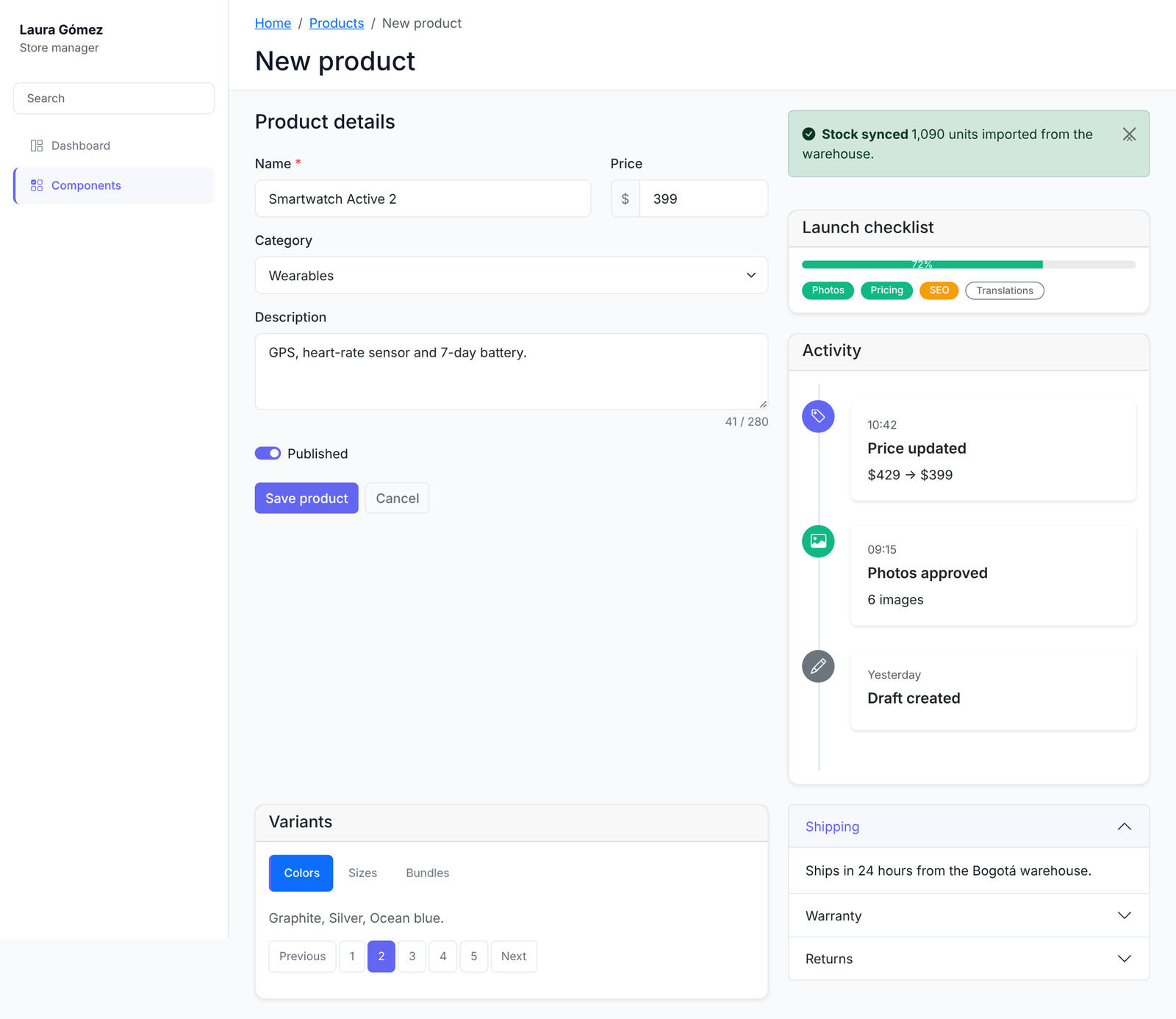
Copy examples/ into a Yii2 app for a complete dashboard and a forms page.
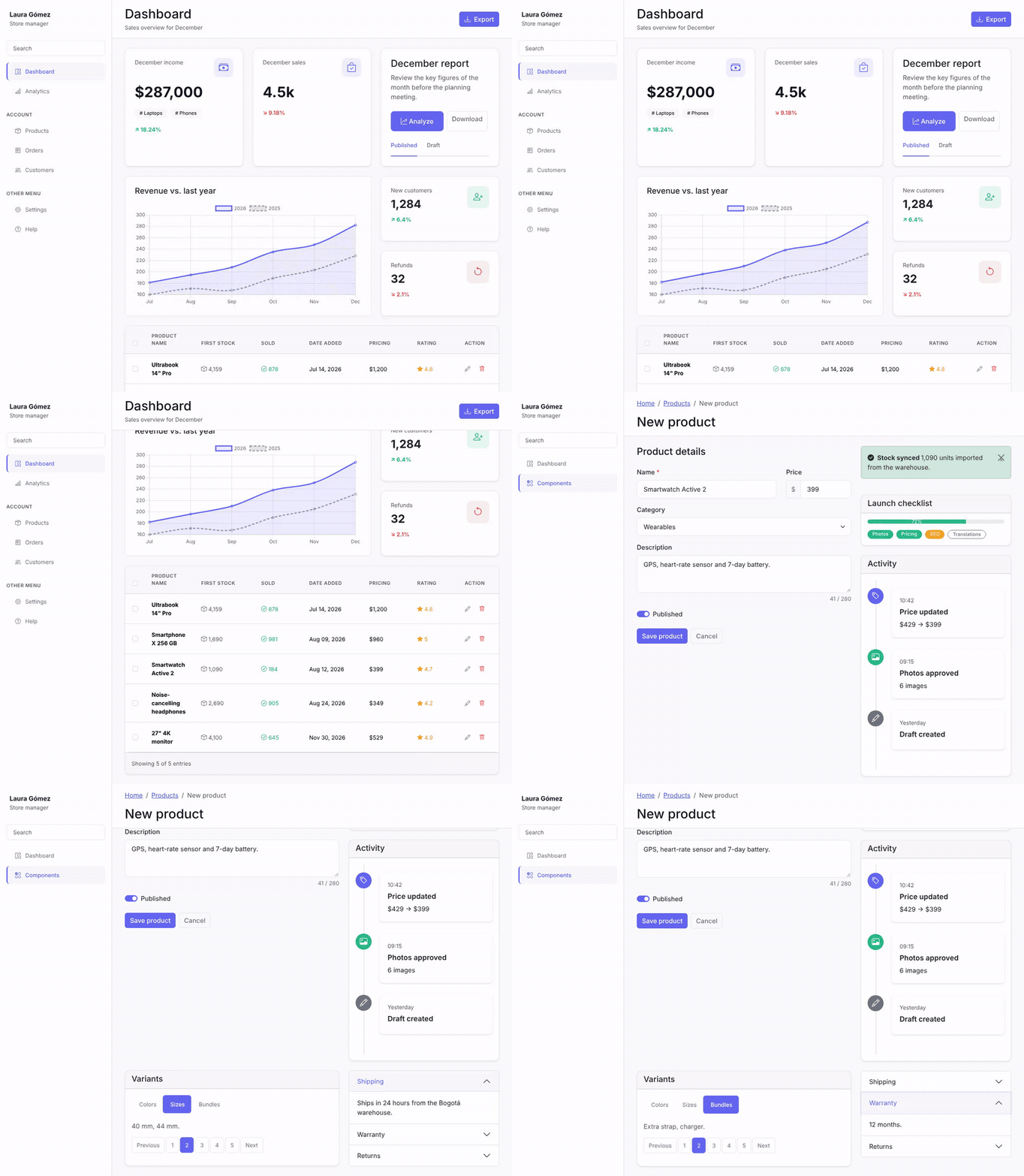
Components 
| Category | Widgets |
|---|---|
| Dashboard | DashboardLayout, Sidebar, MetricCard, StatCard, ReportCard, ProductTable, Chart |
| Base | Card, Button, Badge, Alert |
| Forms | Form, Input, Select, Checkbox, Radio, Textarea, FileUpload |
| Navigation | Navbar, Breadcrumb, Tabs, Pagination |
| Data | DataTable, ListView, DetailView |
| Feedback | Modal, Toast, Progress, Spinner |
| Layout | Container, Row, Col, Grid, Divider |
| Advanced | Dropdown, Accordion, Carousel, Timeline, Offcanvas |
Base and dashboard widgets live in iguazoft\ui\widgets; the rest in iguazoft\ui\widgets\<category> (for example iguazoft\ui\widgets\forms\Input).
Examples 
Chart (Chart.js) 
Chart.js is loaded automatically the first time a Chart is rendered.
use iguazoft\ui\widgets\Chart;

<?= Chart::widget([
    'type' => 'line',
    'height' => '260px',
    'data' => [
        'labels' => ['Jul', 'Aug', 'Sep', 'Oct', 'Nov', 'Dec'],
        'datasets' => [[
            'label' => 'Revenue',
            'data' => [182, 196, 210, 238, 251, 287],
            'borderColor' => 'rgb(99, 102, 241)',
            'fill' => true,
        ]],
    ],
]) ?>
ProductTable 
use iguazoft\ui\widgets\ProductTable;
use yii\helpers\Html;

<?= ProductTable::widget([
    'dataProvider' => $dataProvider,      // ActiveDataProvider, ArrayDataProvider or a plain array
    'columns' => [
        ['label' => 'Name', 'attribute' => 'name'],
        ['label' => 'Price', 'attribute' => 'price', 'format' => 'currency'],
        ['label' => 'Rating', 'attribute' => 'rating', 'format' => 'rating'],
        ['label' => 'Link', 'value' => fn($m) => Html::a('Open', ['view', 'id' => $m['id']]), 'format' => 'raw'],
    ],
]) ?>
Formats: text (default, HTML-encoded), raw / html, currency, number, rating, badge, stock, sold.
Forms 
use iguazoft\ui\widgets\forms\Form;
use iguazoft\ui\widgets\forms\Input;
use iguazoft\ui\widgets\forms\Select;

<?php Form::begin(['action' => ['/products/create'], 'title' => 'Product details', 'submitLabel' => 'Save']); ?>
    <?= Input::widget(['name' => 'title', 'label' => 'Name', 'required' => true]) ?>
    <?= Input::widget(['name' => 'price', 'label' => 'Price', 'prepend' => '$', 'type' => 'number']) ?>
    <?= Select::widget(['name' => 'category', 'label' => 'Category', 'items' => $categories]) ?>
<?php Form::end(); ?>
Customization 
Override the CSS variables after DashboardAsset:
:root {
    --dashboard-primary: #0d9488;
    --dashboard-primary-rgb: 13, 148, 136;
    --dashboard-sidebar-width: 260px;
}
Every widget accepts options (HTML attributes of the root element), and any widget can be extended:
class MyCard extends \iguazoft\ui\widgets\Card
{
    public $shadow = false;
}
To serve Bootstrap Icons or Chart.js yourself instead of the jsDelivr CDN, override iguazoft\ui\BootstrapIconsAsset or iguazoft\ui\ChartAsset in assetManager->bundles.
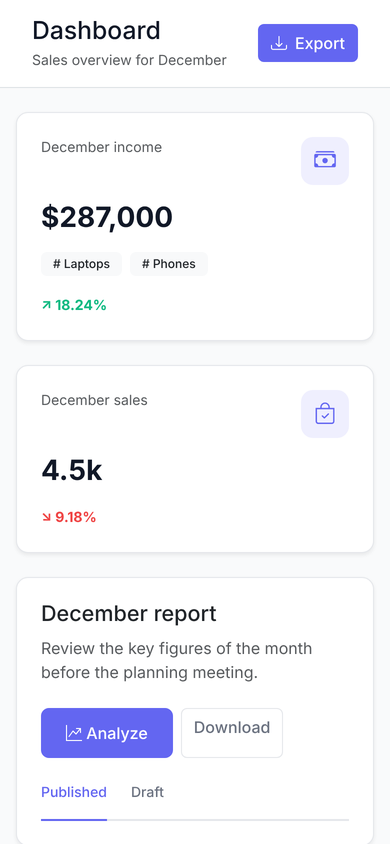
Mobile 
The layout is responsive. Below 768px the sidebar slides out of view; any element with data-sidebar-toggle opens it:
<button class="btn btn-light d-md-none" data-sidebar-toggle><i class="bi bi-list"></i></button>
Testing 
composer install
composer test
Contributing 
Issues and pull requests are welcome. See CONTRIBUTING.md and the CHANGELOG.
License 
MIT. See LICENSE.
 Danny Rios Tolosa
User Contributed Notes
Leave a comment
If you have any questions, please ask in the forum instead.
Join the conversation to share a note.