

Autosize textarea widget for Yii2 based on jquery.ns-autogrow plugin 
Installation 
The preferred way to install this extension is through composer.
Install 
Either run
$ php composer.phar require execut/yii2-autosize-textarea "dev-master"
or add
"execut/yii2-autosize-textarea": "dev-master"
to the `require` section of your composer.json file.
Example 
use execut\autosizeTextarea\TextareaWidget;

class Model extends \yii\base\Model {
    public $text = null;
    public function rules()
    {
        return [['text', 'safe']];
    }
}

$form = \yii\widgets\ActiveForm::begin();
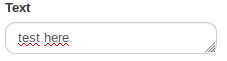
echo $form->field(new \Model(), 'text')->widget(TextareaWidget::class, [
    'options' => [
        'style' => 'height: 30px', // If you want set textarea height
    ],
    'clientOptions' => [
        'vertical' => true, //(true/false) - Enable/Disable vertical autogrow (true by default)
        'horizontal' => true, //(true/false) - Enable/Disable horizontal autogrow (true by default)
        'postGrowCallback' => new JsExpression('function () {console.debug(\'post grow callback\');}'),
        //Post grow callback. Executes after dimensions of textarea have been adjusted.
        'flickering' => true, //(true/false) - Enable/Disable flickering.
        //If flickering is disabled, extra line will be added to textarea.
        //Flickering is enabled by default.
        'debugx' => -10000, // X position of shadow element (-10000 by default)
        'debugy' => -10000, // Y position of shadow element (-10000 by default)
        'debugcolor' => 'yellow', // Color of shadow element (yellow by default)
    ]
]);
\yii\widgets\ActiveForm::end();
License 
yii2-autosize-textarea is released under the Apache License Version 2.0. See the bundled LICENSE.md for details.
 eXeCUT
User Contributed Notes
Leave a comment
If you have any questions, please ask in the forum instead.
Join the conversation to share a note.